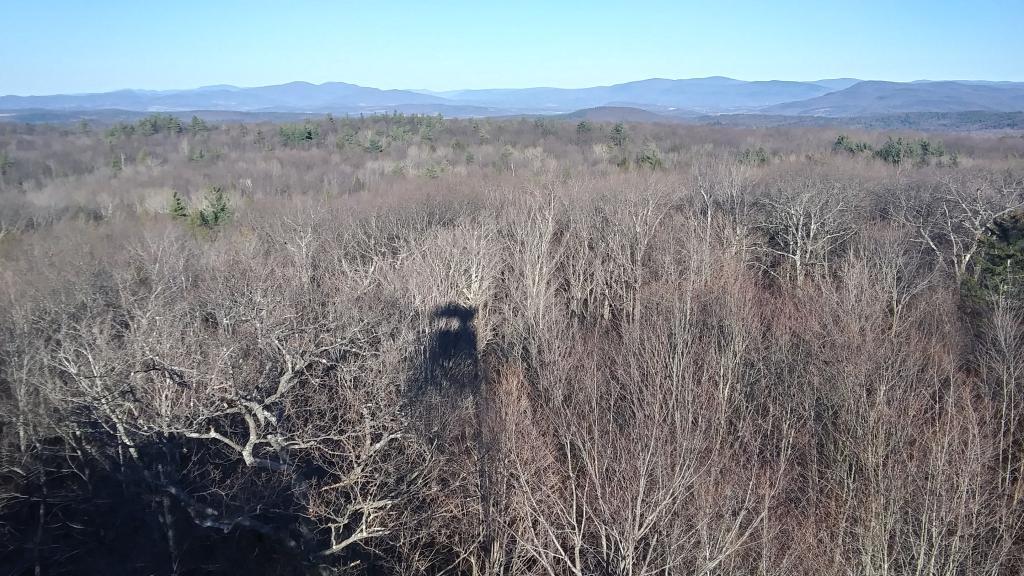
It was windy and cold on the tower but it's nice to get away and I like looking at the rural landscape in with all its browns and grays against the deep blue skies. The Petersburg Ridge reminds me a bit of West Virginia.
I am still figuring out how to do nice looking graphs with “R” and Python, but right now I am settling on Python’s matplotlib and seaborn themes, just because it’s a lot easier to work with then “R” with it’s weird syntax and because I think Python at this point has better developed libraries for data science, at least for less scientific things.
#!/usr/bin/env python
# coding: utf-8

import pandas as pd
import geopandas as gpd
import numpy as np
import censusdata as cd

# census table
cdcol='B19013_001E'

# census geography
cdf = cd.download('acs5', 2019,
           cd.censusgeo([('state', '36'),
                         ('county','083'),
                        ('county subdivision','*')]),
          [cdcol])

geoid=[]
geoname=[]

# convert geoname into more useful parts
for index in cdf.index.tolist():
    geopart=''
    for part in index.geo:
        geopart = geopart + part[1]
    geoid.append(geopart)
    geoname.append(index.name)

cdf['geoid']=geoid
cdf['geoname']=geoname

geosplit = cdf['geoname'].str.split(', ', expand = True)
cdf['muni']=geosplit[0]
cdf['county']=geosplit[1]

# load graphiing libraries
import matplotlib.pyplot as plt
import seaborn as sns
import matplotlib.ticker as mtick

# sort by town name
cdf = cdf.sort_values(by='geoname')

# x axis value, we are using the census data
# we obtained above
xAxVal = cdcol;

# 10 inch by 10 inch figure
plt.rcParams['figure.figsize'] = [10, 10]

# conservative but nice style
sns.set_style('whitegrid')

# call the Seaborn Wrapper, with basic information about the bar graph
# switch the x and y if you want a more traditional vertical graph
gx=sns.barplot(x = xAxVal, y = "muni", data = cdf, palette='Paired')

# set font settings
plt.rcParams['font.family'] = 'sans-serif'
plt.rcParams['font.sans-serif'] = 'Overpass Mono'
plt.rcParams['font.size'] = '18'

# nicer labels
plt.ylabel('Municipality', fontweight=700)
plt.xlabel('Median Household Income', fontweight=700)

# dollar formatting for x-axis
fmt = '${x:,.0f}'
tick = mtick.StrMethodFormatter(fmt)
gx.xaxis.set_major_formatter(tick)

# add the labels on the individual bars -- change the +1.5 and horizonal alignment to on or before that bars
for i in range(len(cdf[xAxVal])):
    plt.annotate("${:,}".format(cdf[xAxVal][i]), xy=(cdf[xAxVal][i]+1.5,i), ha='left', va='center',  fontweight=1000)

# Include a title, shown in the center (50% from left), and near the top (91% from bottom)
plt.figtext(0.5, .91, 'Median Household Income in Renselaer County', wrap=True,  ha='center', va='center', fontweight=1000, fontsize=26)

# Include footer text, 90% from the left, text-aligned left, 3% from the bottom of the image
plt.figtext(0.9, 0.03, '2019 American Community Survey, 5 yr.', wrap=True, horizontalalignment='right', fontstyle='italic', fontsize=14, color='#00000088')
plt.figtext(-0.2, 0.03, 'Andy Arthur, 9/14/2021', wrap=True, horizontalalignment='left', fontstyle='italic', fontsize=14, color='#00000088')

# Save as a SVG or PNG for posting at 175 DPI. The BBOX inches tight setting avoids long
# y axis from getting cut off
plt.savefig('/tmp/ren.svg',dpi=175, bbox_inches='tight')
Relatively poor, rural counties upstate have the greatest equity in wealth. There isn't a lot of very wealthy people -- most people just make enough to get by in these counties. Steuben County, home of Watkins Glen and the southern Finger Lakes has the lowest GINI index of any county in New York.
With the exception of the South End and Arbor Hill, most of Albany County is quite white. This map shows the percentage of population from the 2010 US Census that identifies as "white" as their single race.